
Weather
Temperature limits, snow melt, rain, lightning, and what to do before and after a storm.
Overview
The dish is built and tested for snow, hail, sleet, heavy rain and extreme heat. It is not built for hurricanes, tornadoes or anything else that would also destroy the roof it is bolted to.
Ratings
| Component | Operating range |
|---|---|
| Dish, outdoors | -30 °C to +50 °C (-22 °F to +122 °F) |
| Router and power supply, indoors | 0 °C to +30 °C (+32 °F to +86 °F) |
Performance drops slightly at the extremes of that range.
Snow and ice
The dish heats itself to melt snow using the power it already draws, which keeps service up during snowfall and saves you clearing it by hand.
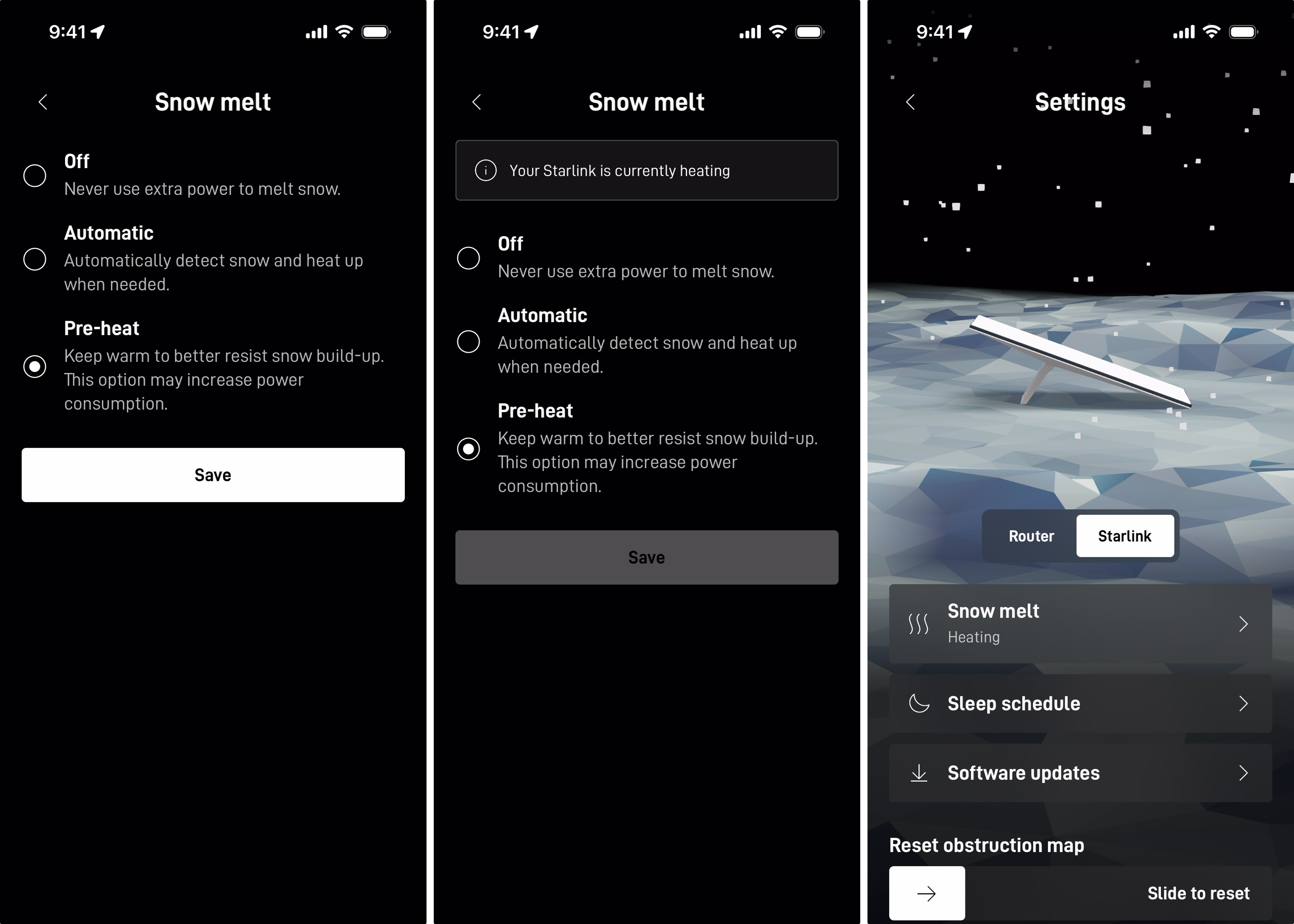
Set the mode in Starlink app → Settings → Starlink → Snow Melt.
| Mode | Behaviour |
|---|---|
| Off | Disabled. No extra power |
| Automatic | Heats only when snow is detected. Recommended |
| Pre-heat | Stays warm to resist buildup. Uses more power |
Light ice and icicles do not usually affect performance. You can clear snow or ice gently whenever you like, but never with a pick, chisel or scraper. Those damage the dish.
Heavy snow that completely buries the dish causes intermittent connectivity or a temporary outage. The fix is placement: install somewhere it will not get buried or collect drifts.
Rain and wind
The radome is hydrophobic and sheds water on its own. Heavy rain or wind can still slow you down or, occasionally, drop the connection entirely.
Do not add a protective cover. It degrades performance and stops the snow melt from working, which makes winter worse rather than better.
Lightning
Starlink meets US National Electrical Code grounding requirements. In an area that gets lightning, an external protection system such as a lightning rod, ground rod or surge protector reduces the risk.
During a storm, or when leaving the system unused for a long time, unplug it from the AC outlet and disconnect the Starlink cable. That is what protects against lightning and power line surges.
What weather actually does to the signal
Significant weather attenuates the radio signal, so moderate to heavy rain, snow and hail cause momentary dropouts. Storms over the ground stations matter too, though the laser links between satellites let traffic route around them.
Expect short interruptions during a storm and normal service once it passes.
Before a storm
- Check every cable is fully seated.
- Check the dish is securely mounted.
- Consider a surge protector.
Hurricane-force wind
- If it is safe, bring the dish and cables indoors.
- If the cable has to stay outside, protect the exposed ends from water. A wet cable must dry completely before you reconnect it.
After a storm
If problems linger once the weather clears:
Check whether the router factory reset itself. The Starlink router resets after 6 consecutive power cycles, which a flickering power outage produces easily. Your network name and password would be gone. Set them again in the app.
Inspect the outdoor hardware. Debris may have hit something, or water may have got in, and neither is always obvious. Dry any wet cable fully before reconnecting.
If that does not resolve it, contact support.