
Mini X setup
The Mini plus a Router Mini. Set the dish up first, then pair the router.
Overview
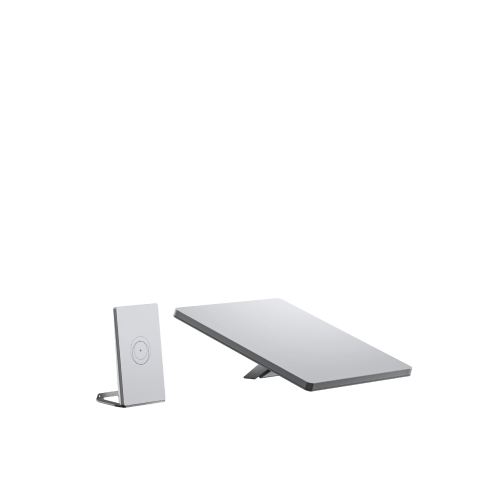
The Mini X Kit is a Starlink Mini packaged with a Router Mini. The Mini already has WiFi built in, so the Router Mini is there to extend coverage rather than to make the link work.
Order matters. Set up the Starlink Mini completely, then pair the Router Mini. Doing it the other way round leaves the router with nothing to join.
Before you start
What is in the box:
- Starlink Mini with integrated WiFi
- Kickstand
- Mini pipe adapter and flat mount
- 15 m DC power cable
- Power supply
- Starlink plug
- Router Mini
- Router Mini power supply
- Router Mini stand
The kit currently ships in Argentina and Germany, with more markets to follow. The Mini covers roughly 112 m² (1,200 ft²) on its own, which is what the Router Mini is there to extend.
Steps
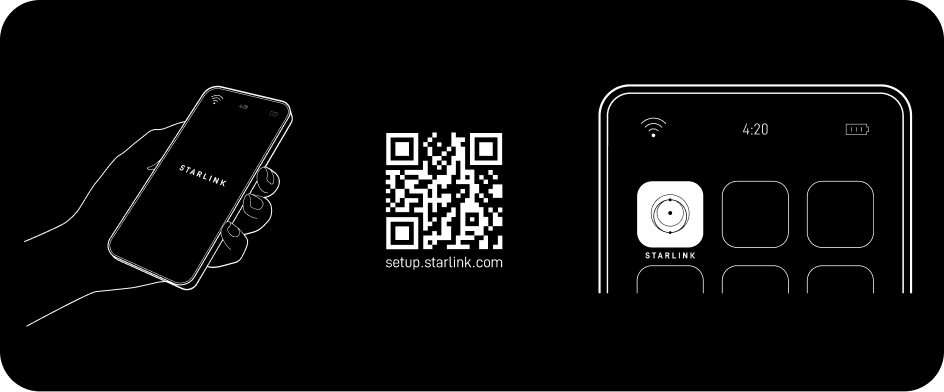
1. Install the app
Install the Starlink app and scan the QR code on the packaging.
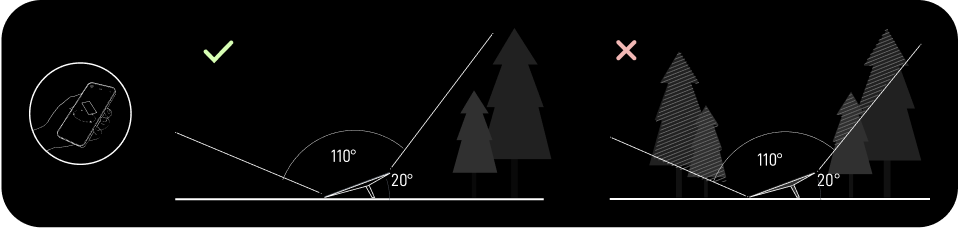
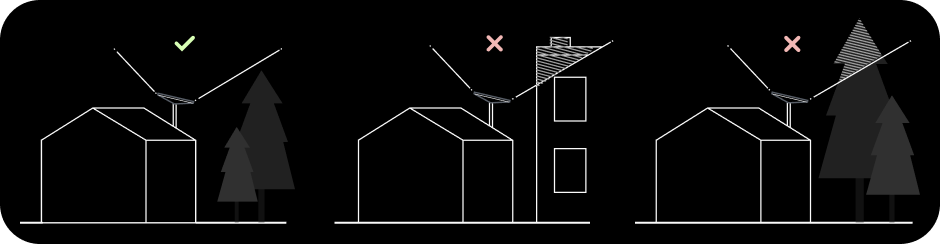
2. Find a clear view of the sky
Run the obstruction tool in the app before committing to a spot. Anything that crosses the dish’s view of the sky costs you seconds of connection at a time.
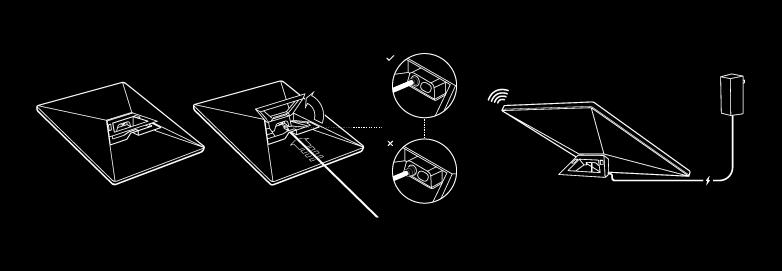
3. Plug in the Mini
Lift the kickstand, push the cable in until the plug face is flush, and run the other end to the power supply.
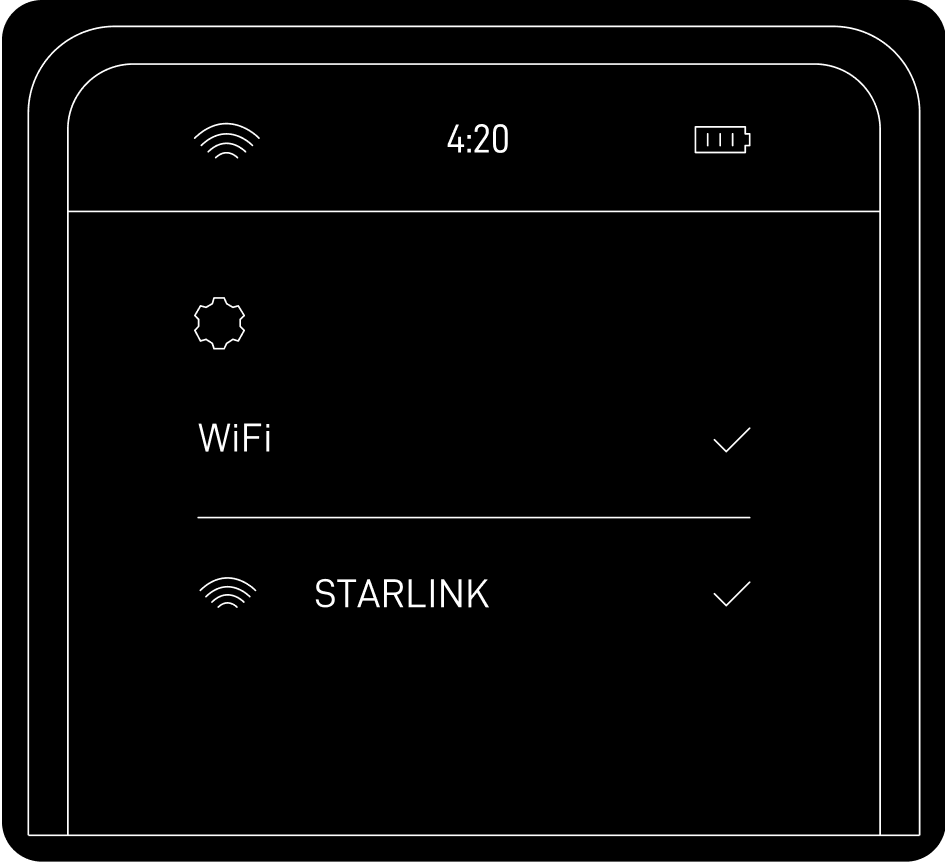
4. Connect to WiFi
Join the STARLINK network from your device’s WiFi settings, then open the app
to set a network name and password.
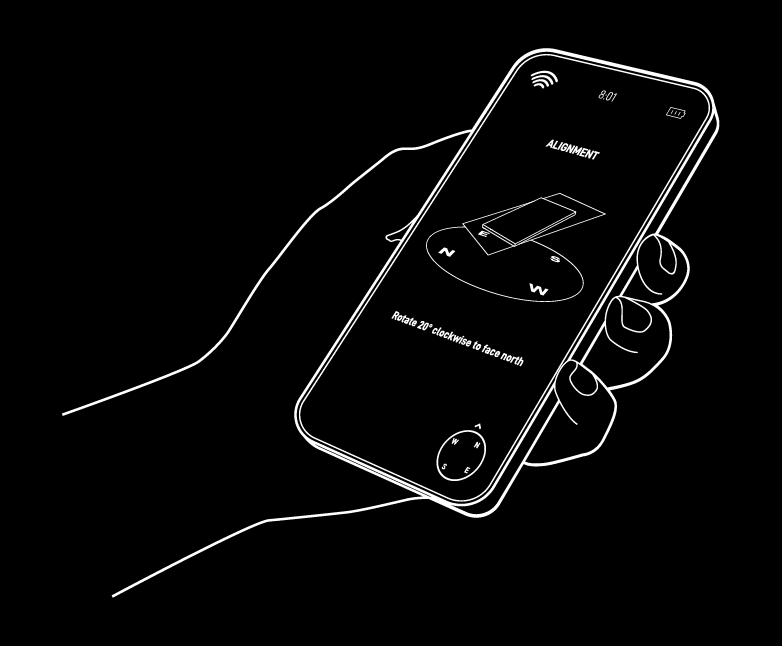
5. Align the Mini
If alignment is off the app raises an alert. Tap it and turn the dish to match the picture.
6. Pair the Router Mini
- Power the Router Mini on near the dish. You can move it to its final spot once pairing is done.
- Wait one to two minutes for a New Mesh Node(s) notification in the app.
- Tap Pair, or Pair All if you have several. The node connects on the Network screen, which takes one to five minutes.
- Repeat for any additional nodes.
If the notification never appears, move the router closer to the Mini and try again.