Mounts
What ships in the box, what the shop sells, and why a metal third-party mount can break GPS.
Overview
Every kit ships with a mounting solution, so nothing extra is required to get online. You buy a mount when the included one cannot put the dish where the sky is clear.
Mounts are kit-specific. A Standard mount does not fit a Mini and the other way round.
What comes in the box
Standard 4 and Standard 4 X
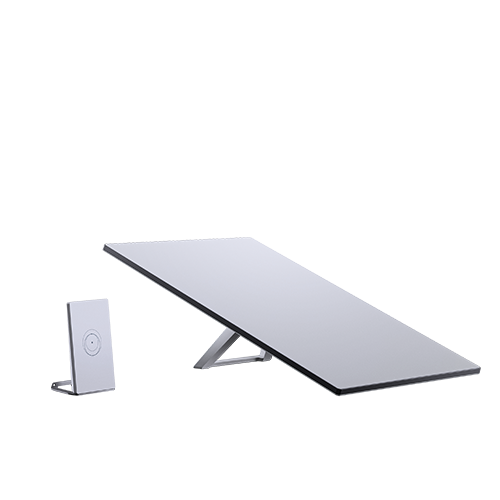
A detachable kickstand, usable for both a quick setup and a permanent install. The Standard accessory guide lists what else fits.
Starlink Mini
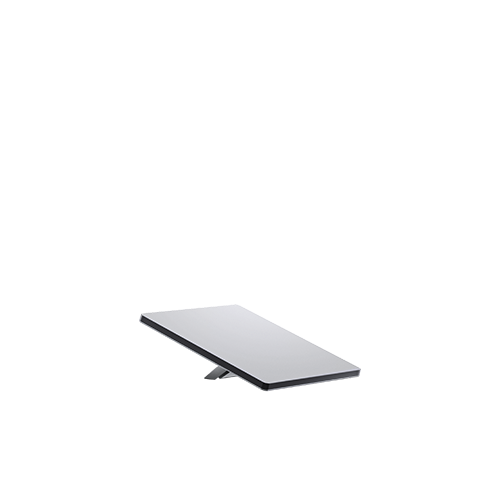
A detachable kickstand, plus a Mini pipe adapter and flat mount that clamps to any existing pole between 31 mm (1.25 in) and 50 mm (2 in) in diameter. The Mini accessory guide covers the rest.
Buying a mount
Additional mounts and cable-routing accessories appear in the Starlink shop once your kit is ready to ship. Every mount is designed for self-installation, but if the job involves a roof and you are not comfortable up there, get a professional. See Installers.
RV and vehicle mounts. There is no RV-specific mount for the Standard 4, Standard 4 X or Starlink Mini. Browse the shop for a general mount that suits the vehicle, or use the Mini’s pipe adapter against an existing pole.
Third-party mounts
You can use one, with a real caveat. Starlink does not guarantee performance or compatibility with hardware it did not make, and one failure mode is specific enough to be worth knowing.
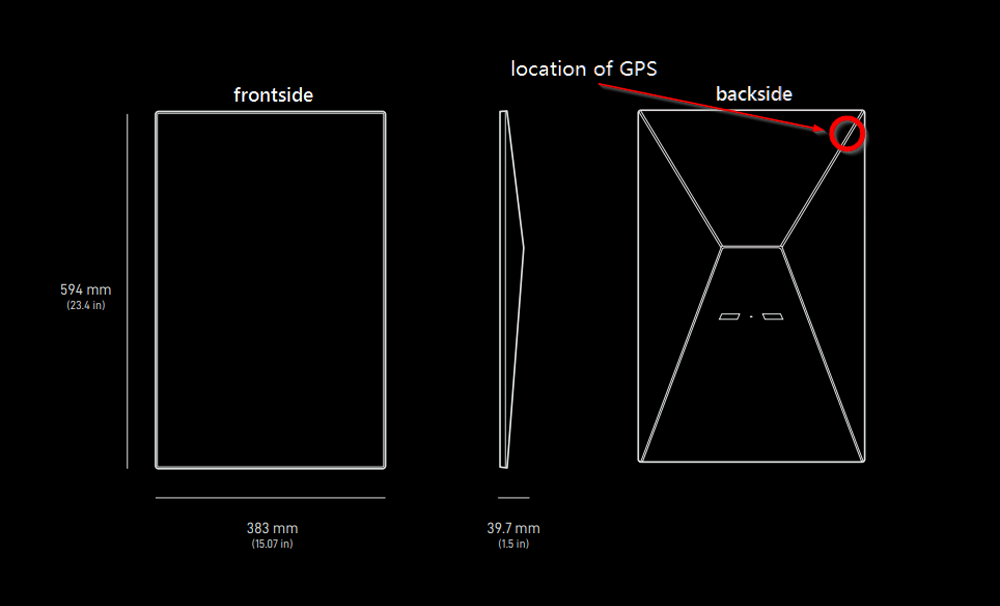
Metal near the GPS chip breaks GPS. The chip sits at the top right of the back of the dish. A metal mount that wraps around the base enclosure, or setting the dish directly on metal, interferes with it. This is explicitly unsupported.
For anything moving, the Starlink mobility mount is the supported option.
Removing the kickstand
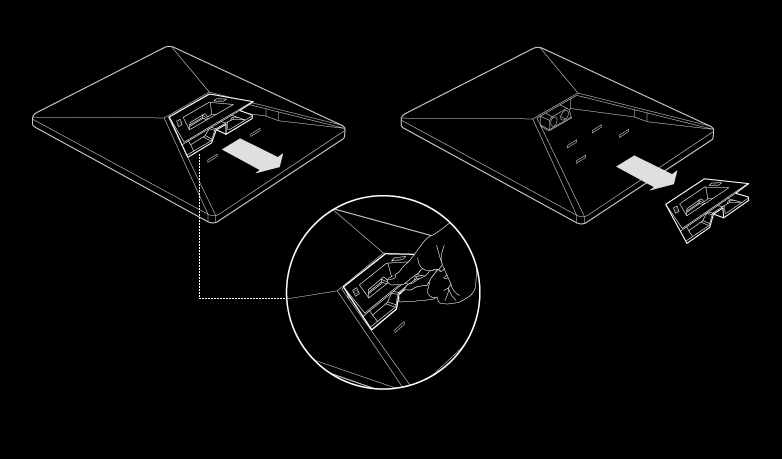
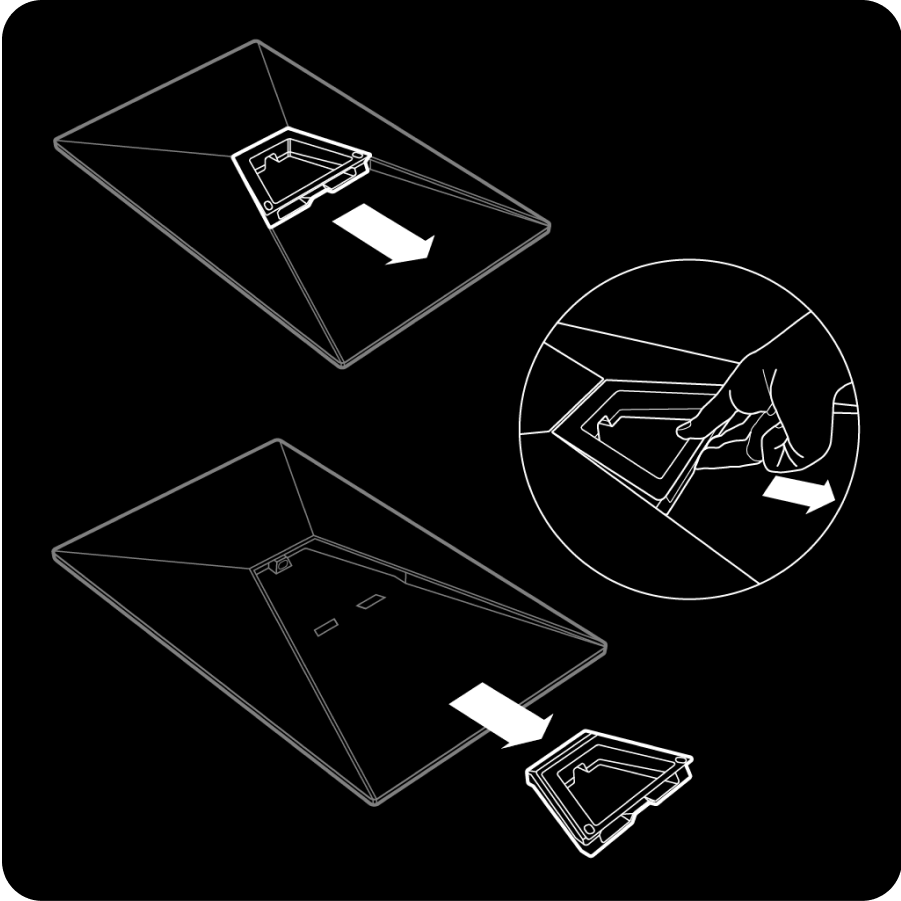
Squeeze the release tab at the back of the mount and pull the kickstand away from the dish.
Standard 4 X
Starlink Mini