
Diagnostics
Build a diagnostic report for support, control error reporting, test a cable, and go back to first-time setup with Reset and Reconfigure.
Overview
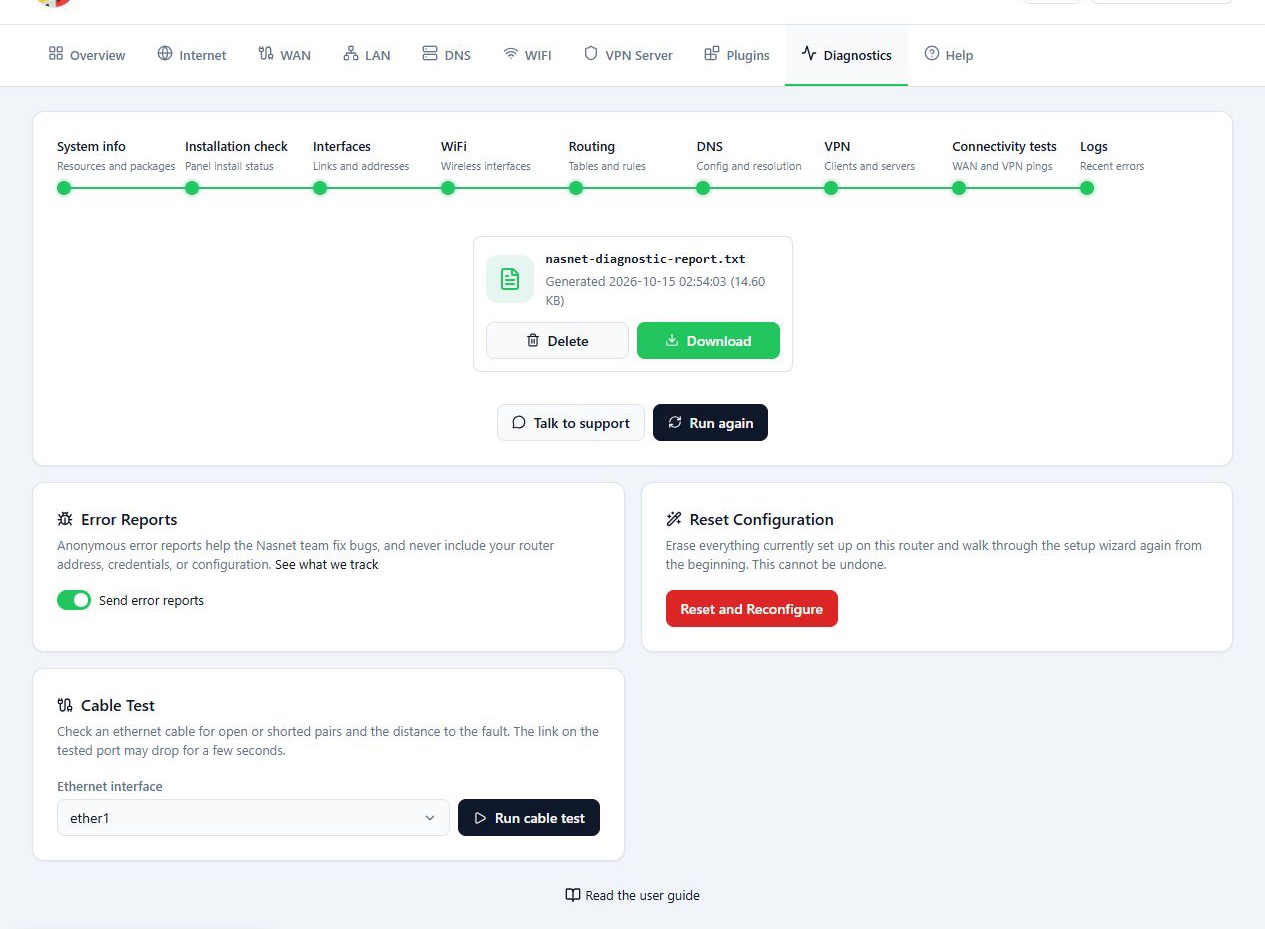
When a connection or a panel feature is not working, use the Diagnostics tab to collect information and look into the problem. The page has four parts:
- Diagnostic report: checks the router in several stages and builds a report file you can download and send to support.
- Error Reports: turns automatic reporting of app errors on or off. This is separate from the downloadable diagnostic report.
- Cable Test: checks the cable plugged into an Ethernet port.
- Reset and Reconfigure: wipes the current configuration and starts the wizard again from the beginning.
Before you start
- You need a working connection to the router. Without valid login details, the Start button stays disabled.
- Before you use Reset and Reconfigure, save a backup of the router on your computer and have the details you need to set it up again.
Steps
Building a diagnostic report
- Click Start.
- Wait for the checks to finish.
- When the report is ready, click Download.
- Send the file to support with a description of the problem.
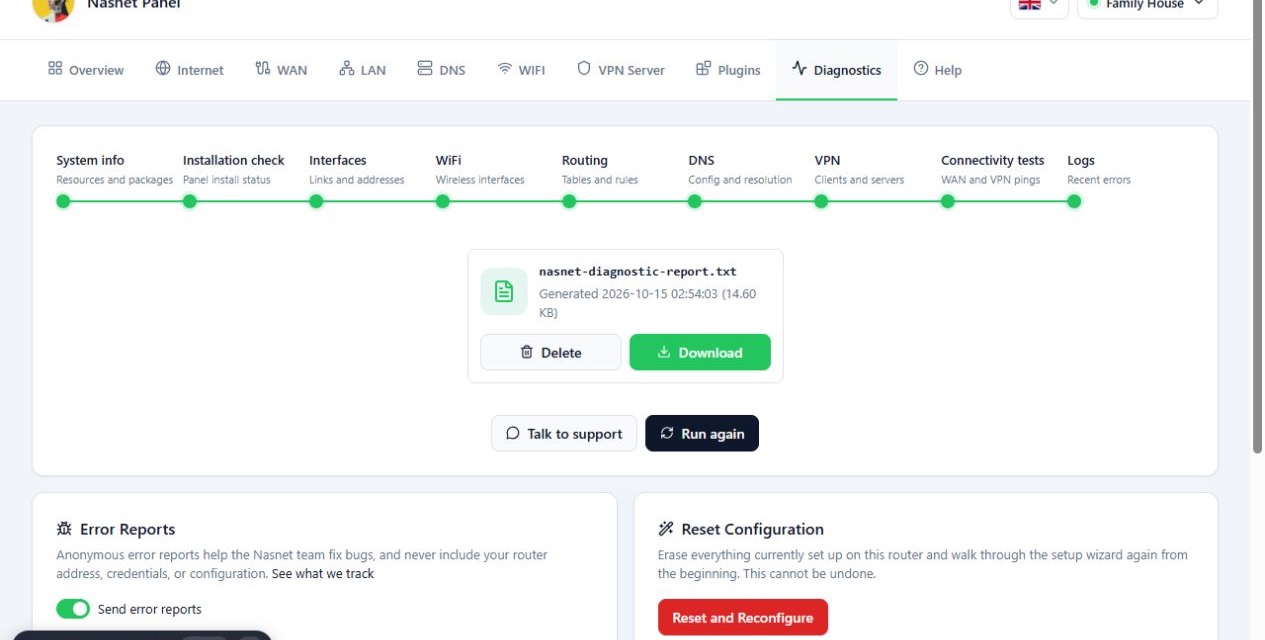
To build a new report, use Run again. The Talk to support button takes you to the Help tab.
Setting Send error reports
- Find the Error Reports section.
- Use the Send error reports switch to turn reporting on or off. It is on by default.
- Repeat this in every browser you open the panel from, because the setting is saved in that browser only.
To see what these reports contain, open the See what we track link or read the Reference section below.
Testing a cable with Cable Test
- In Ethernet interface, choose the port.
- Click Run cable test.
- Check the result for each wire pair and the approximate distance to the fault.
During the test, the link on that port may drop for a few seconds. If you are connected to the panel through that port, or an important device is plugged into it, plan for the interruption. Whether the tool is available, and how much detail it gives, depends on the router hardware.
Open means a wire pair was detected as open. That can come from a broken cable or from nothing being connected at the other end, so compare the result with the real state of the cable. The distance shown is approximate.
Going back to first-time setup with Reset and Reconfigure
This option wipes the router’s current configuration and starts the wizard from the beginning. Do not use it to look into a simple error. It cannot be undone. If the router is in use, only continue when you are sure that losing the current configuration will not cause problems.
- Click Reset and Reconfigure.
- Read the confirmation message.
- Confirm the reset only if you mean to start the configuration again. Otherwise, choose Cancel.
- After the reset, go through the Easy Config wizard from the start.
Reference
Diagnostic report checks
| Check | What it covers |
|---|---|
| System info | Resources and packages |
| Installation check | Panel install status |
| Interfaces | Links and addresses |
| WiFi | Wireless interfaces |
| Routing | Tables and rules |
| DNS | Config and resolution |
| VPN | Clients and servers |
| Connectivity tests | WAN and VPN pings |
| Logs | Recent errors |
What an error report sends
When the panel app hits an error, your browser sends one report to Sentry, the error tracking service the NasNet team uses. The report is sent by your browser, not by the router, and only from production builds. It contains:
- The error message
- The stack trace, meaning the place in the panel code where it failed
- The panel version
- Your browser and operating system, with their versions
- The panel page paths you visited before the error, such as
/router/abc123/config - The buttons and links you clicked on the way, recorded as the element’s tag and class names rather than its text
What is never sent
- IP addresses. Every IPv4 and IPv6 address anywhere in the report is replaced
with
[ip]before it leaves the browser - Login details, the router password included
- Cookies, and request or response headers
- Request and response bodies, so nothing from the router’s configuration
- Query strings. A path keeps only the part before
? - Anything you type into a field
- The list of network requests the panel made
- Console logs
- Any user identity
Example reports
Say the WiFi step of Easy Config hit an error. The report would look like this, trimmed to the parts that matter:
{
  "message": "TypeError: Cannot read properties of undefined (reading 'ssid')",
  "release": "0.1.0",
  "environment": "production",
  "contexts": {
    "browser": { "name": "Chrome", "version": "128.0" },
    "os": { "name": "Windows", "version": "11" }
  },
  "stacktrace": ["WifiStep (main.js:2:48121)", "renderWithHooks (main.js:2:10233)"],
  "breadcrumbs": [
    { "category": "navigation", "data": { "from": "/", "to": "/router/abc123" } },
    { "category": "navigation", "data": { "from": "/router/abc123", "to": "/router/abc123/config" } },
    { "category": "ui.click", "message": "div.wizard-footer > button[type=\"button\"]" }
  ]
}
The two navigation entries show you opened the router and then the wizard. The click is the wizard’s next button. The SSID and password you typed on that step are not in it.
A second example: a request to the router timed out on the Internet page. The
router’s address was in the error message, so it arrives as [ip]:
{
  "message": "Error: Request to [ip] timed out after 10000 ms",
  "release": "0.1.0",
  "environment": "production",
  "contexts": {
    "browser": { "name": "Firefox", "version": "130.0" },
    "os": { "name": "Android", "version": "14" }
  },
  "breadcrumbs": [
    { "category": "navigation", "data": { "from": "/router/abc123", "to": "/router/abc123/internet" } }
  ]
}
Troubleshooting
The Start button is disabled. Make sure you are connected to the router and no other check is running. If needed, connect to the device again from the router list.
“Failed to download report”. The report was built but could not be downloaded. Run the check again with Run again.
The reset dialog opened by mistake. Click Cancel. Nothing changes until you confirm the reset.
Send error reports switched itself back on. The setting lives in the browser’s storage. Clearing site data, or opening the panel in a private window, turns it back on. Switch it off again.
Cable Test shows Open. Check the other end of the cable. If nothing is plugged into it, this result is expected.