
IP-Mask
The wizard's third step, where the MikroTik connects to a VPN server over WireGuard or L2TP to hide the Starlink IP.
Overview
In this step the MikroTik connects to a VPN server, so traffic sent through that VPN leaves with the server’s IP. This connection is what hides the Starlink IP.
This is different from the VPN Server: with IP-Mask the router itself connects to a VPN, while with VPN Server other devices connect to your router.
The Starlink IP is only hidden for traffic that goes through the outbound VPN. The direct Foreign path has no such cover. After setup, check the active path on the Internet and WAN tabs.
Before you start
- For WireGuard: your VPN provider’s
.conffile, with[Interface]and[Peer]sections. - For L2TP: the server address, username and password, plus the IPsec secret if the service uses IPsec.
- If you have no VPN service, you can use the free Nasnet Panel VPN.
Steps
WireGuard
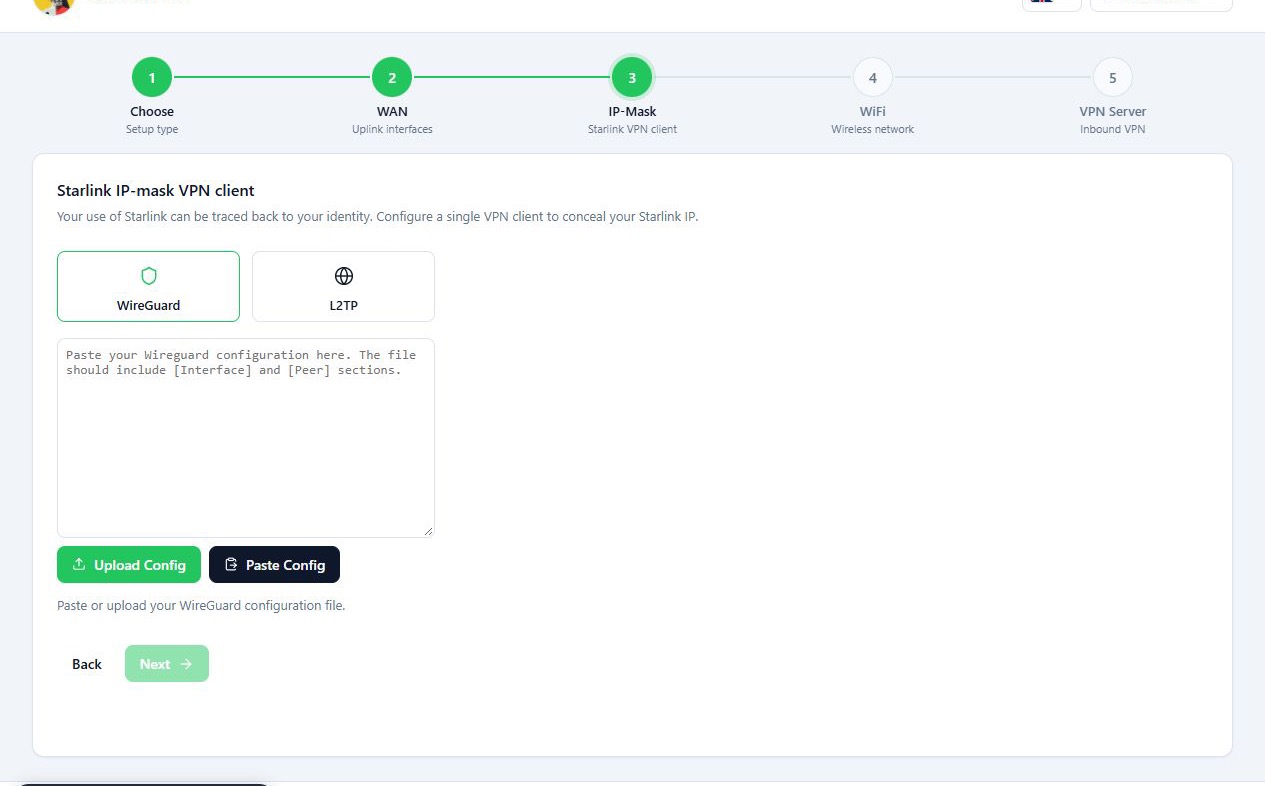
- Select WireGuard.
- Load the config with Upload Config, or paste its text into the WireGuard configuration box.
- If you used Paste Config, check what was pasted.
- Press Next.
Once the config is valid, the panel reads the keys, server address, port and allowed IPs from it.
L2TP
- Select L2TP.
- In Server, enter the VPN server’s address.
- Enter the VPN service’s username and password in Username and Password.
- If your service uses IPsec, turn on Use IPsec encryption and fill in the details it asks for from your service’s config.
- Press Next.
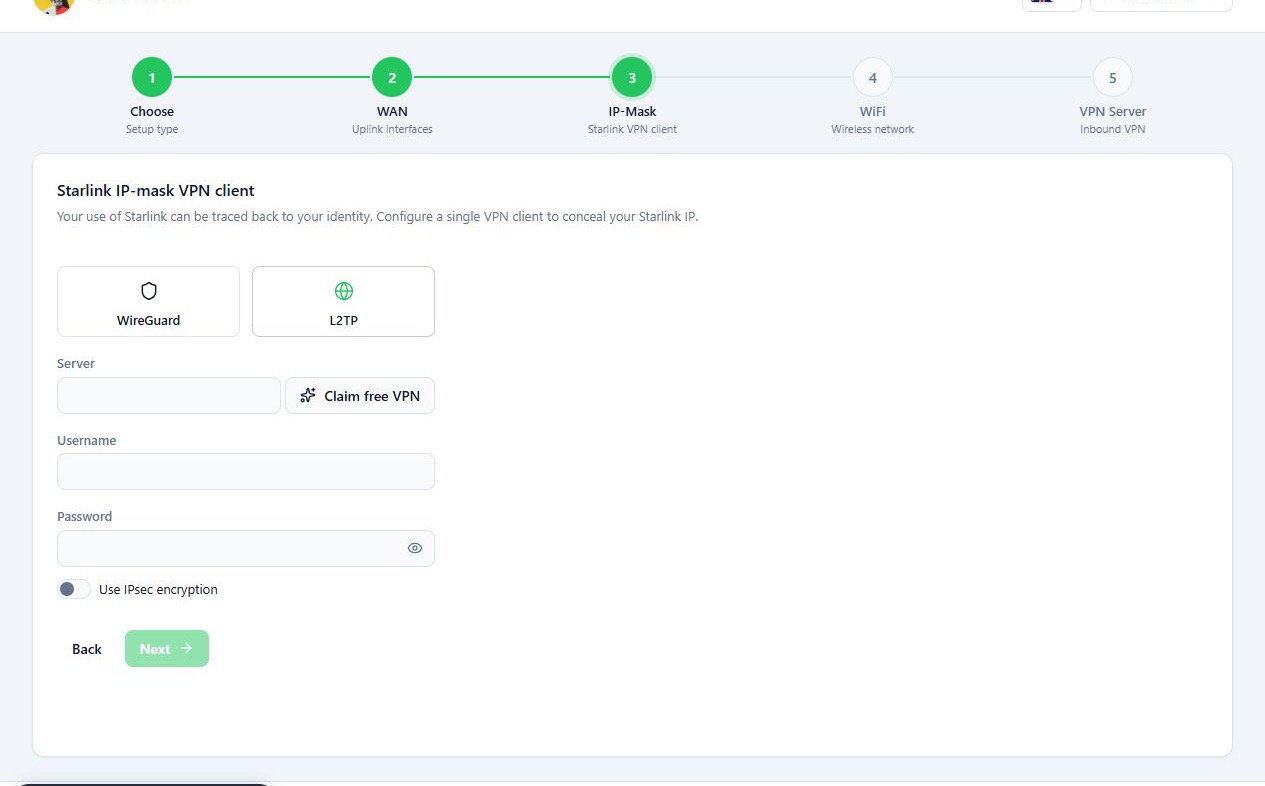
If Claim free VPN is shown, you can request the free Nasnet VPN from this step.
Reference
| Field | What it does | Default |
|---|---|---|
| WireGuard | The recommended protocol. Takes a whole config from a file or text. | |
| L2TP | Widely supported protocol, with optional IPsec encryption. | |
| Server | Address of the L2TP server. Required. | empty |
| Username and Password | The L2TP account. Required. | empty |
| Use IPsec encryption | Wraps the tunnel in IPsec. | off |
| IPsec secret | Pre-shared key. Required once IPsec is on. | empty |
Troubleshooting
Invalid WireGuard config: missing [Interface] or [Peer] sections. The
text is not a WireGuard config, or was not copied in full. Load the whole file
again.
Cannot read from clipboard. Paste manually instead. The browser refused
clipboard access. Paste into the text box directly.
A message says the endpoint or peer public key is missing. The config was
read but lacks those values. Check the [Peer] section of the file.
A message says the server address, credentials or IPsec secret is required. Fill in the named field.